
Dictionary Override
Dictionary Override will come into a picture when we have a parent-child relationship between tables. By default, all fields and their attributes are inherited from parent table to child tables. Suppose you want to make a difference in one of the child tables for inherited fields then we will go for Dictionary override.
We can override following properties
- Override Reference Qualifiers: A Reference Qualifier in Dictionary Override allows you to change or customize the filtering condition of a reference field only for a specific child table, without affecting the original parent table field.
- Override Dependent:-Makes the field dependent on some other field, only in the child table.
- Override Default Value: Changes the default value of the field for the child table.
- Override Read Only: – Make the field read-only for this child table only.
- Override Calculations: – Overrides the calculation formula used by calculated fields.
- Override Mandatory: – Makes the field mandatory or not mandatory only for this child table.
- Override Attributes: Allows you to override field attributes only for the child table.
- Override Display Values: – Allows overriding how the field’s display value is shown for this table.
Making Dictionary Override
- Search Tables in Navigation Bar to Make Tables & Click on New.
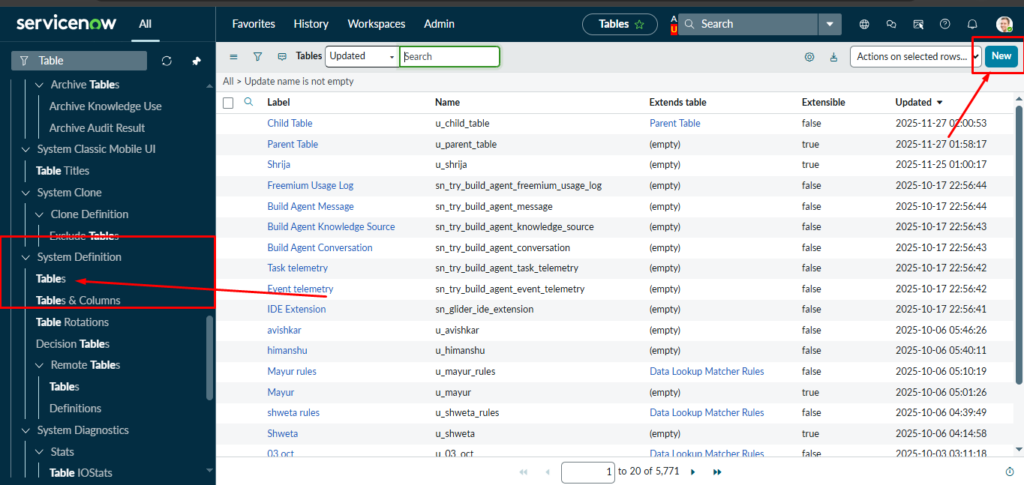
- After Clicking New Page will appear in that Add Table Name à New Menu Name
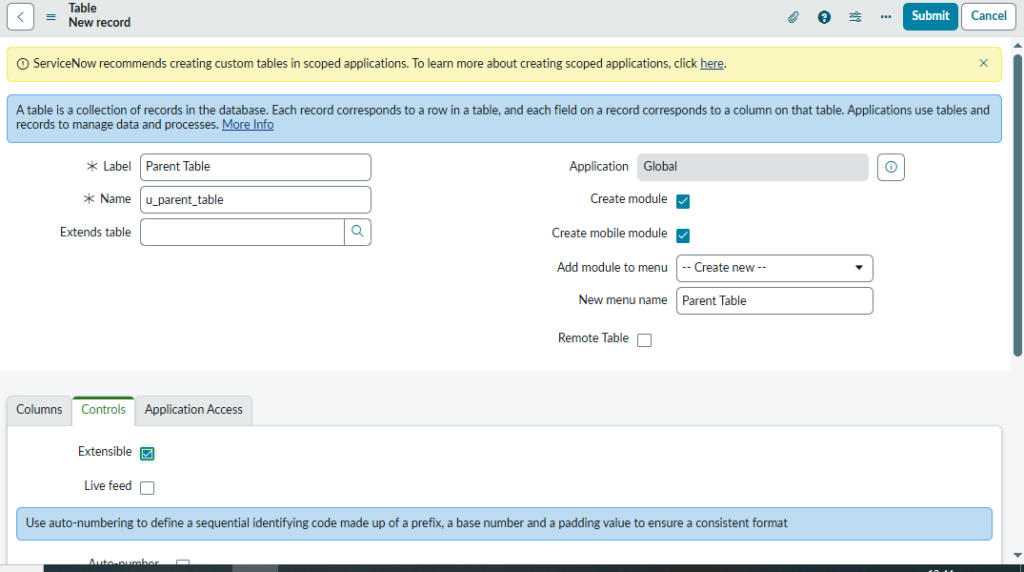
for Making Child Table We Have Click on Extensible. à Controls à Extensible Click on Box & Submit it, Your Table will be made which is Parent Table.
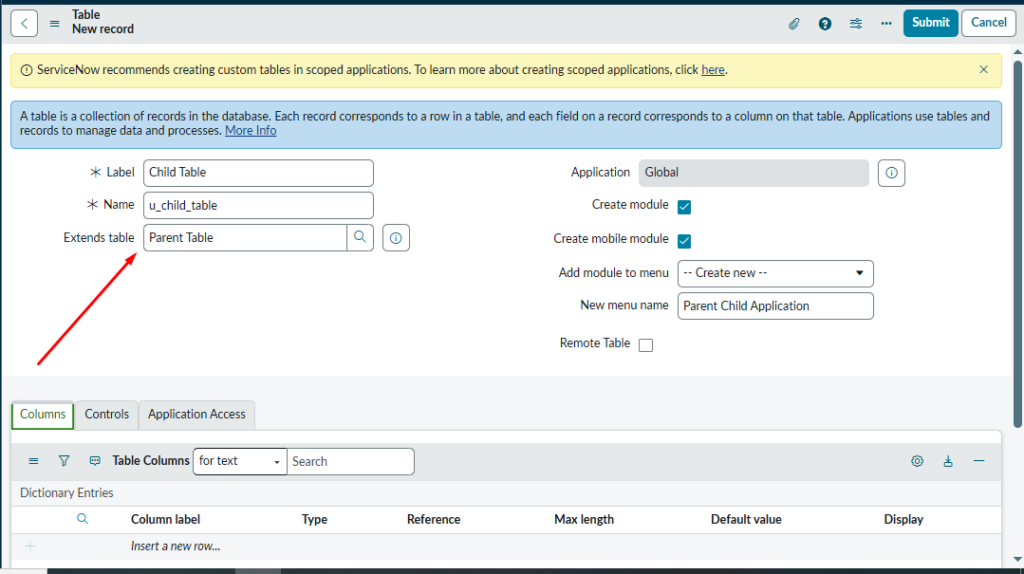
- Now go to table for Making Child Tables in that Add Table Name, In Extends Table Give Name of parent Table to Make this table a child table & submit it.
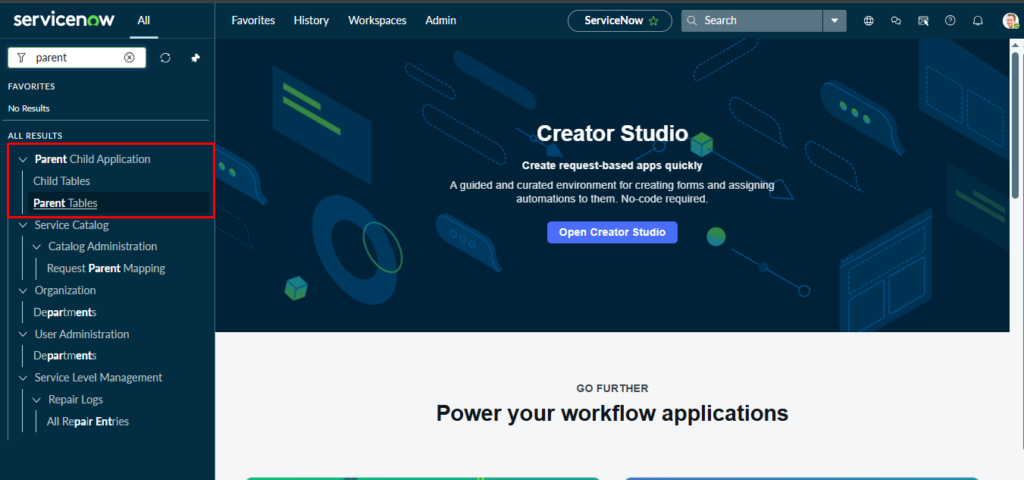
- Search tables for Parent & Child Tables in Navigation Bar, Perform Dictionary Override.
- Users must Make Field from Form Layout in Parent Table & That field will automatically Inherit to Child tables.
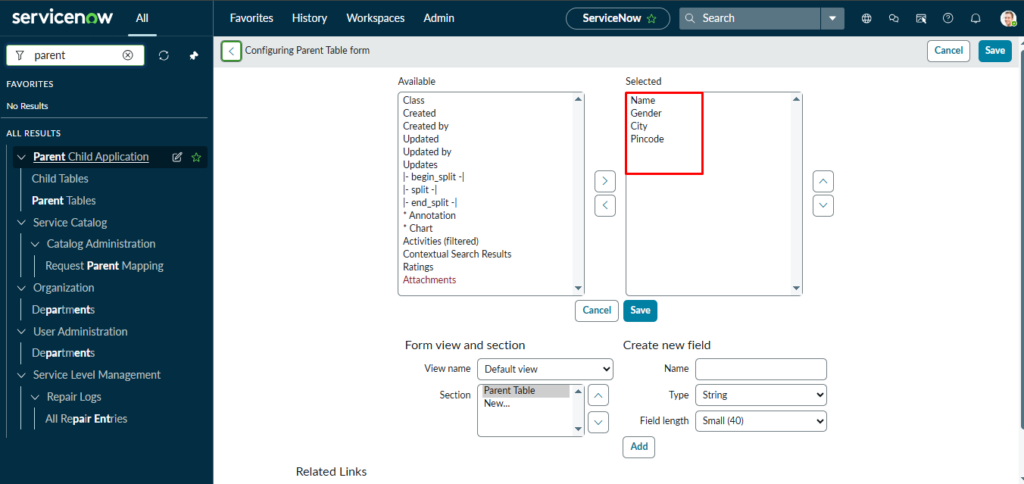
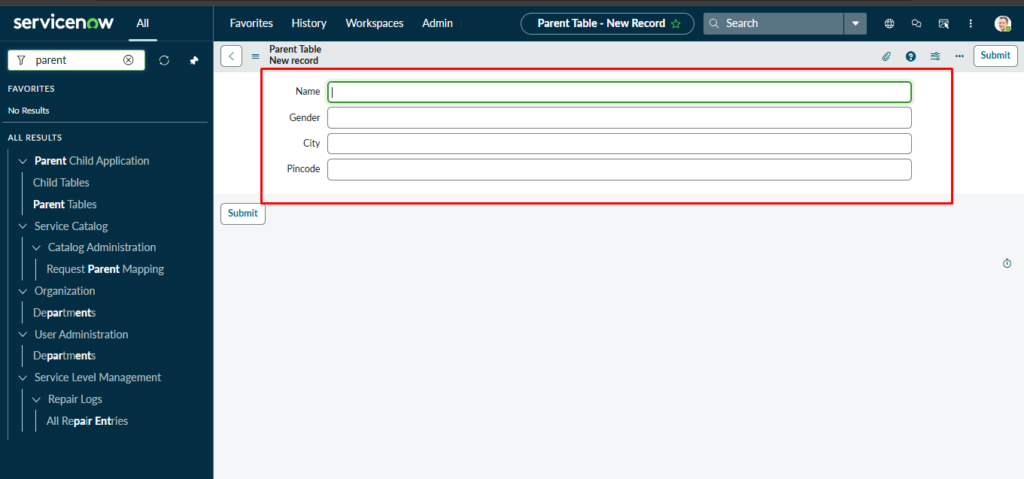
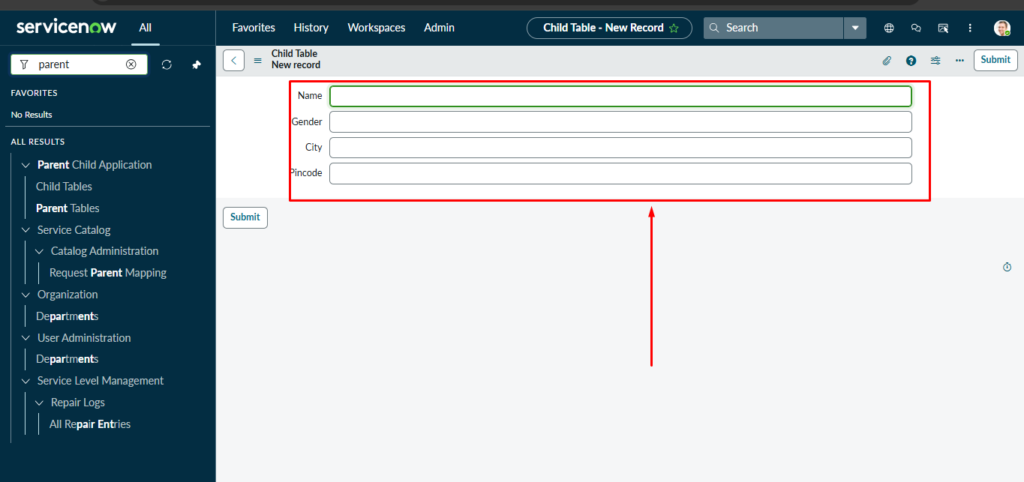
- Child Table All Fields Inherit from Parent Table.
- Now Add Records in Parent Tables
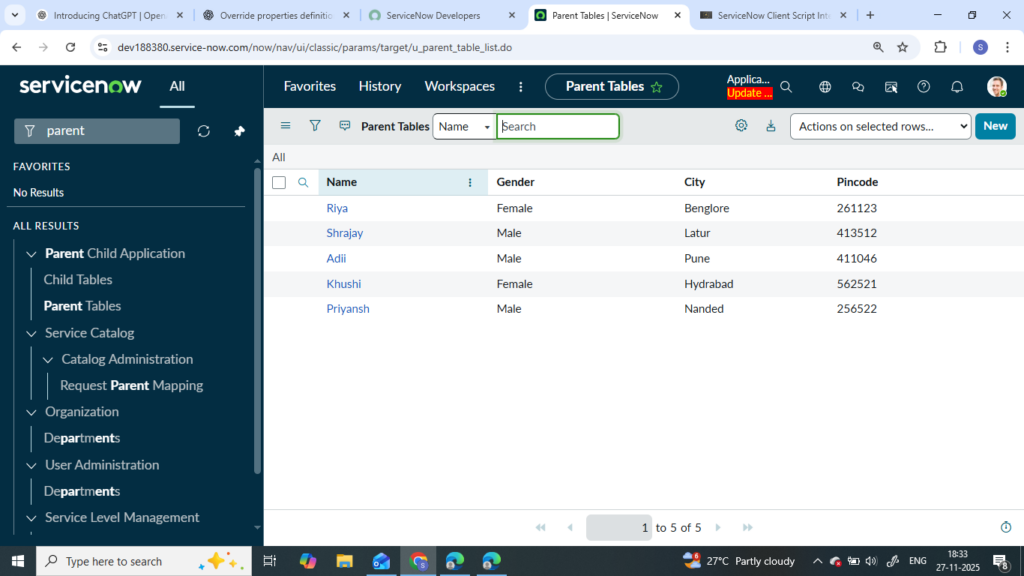
Note: If User adds Records to Parent Table, then that record will not be visible in Child Tables. But when we insert records in Child tables then child table records will visible Parent tables.
- If we have to do Perform operation on Parent table field
Go to Parent table fields à Configure Dictionary à In Right side, their option for doing Read only, Mandatory, Display.
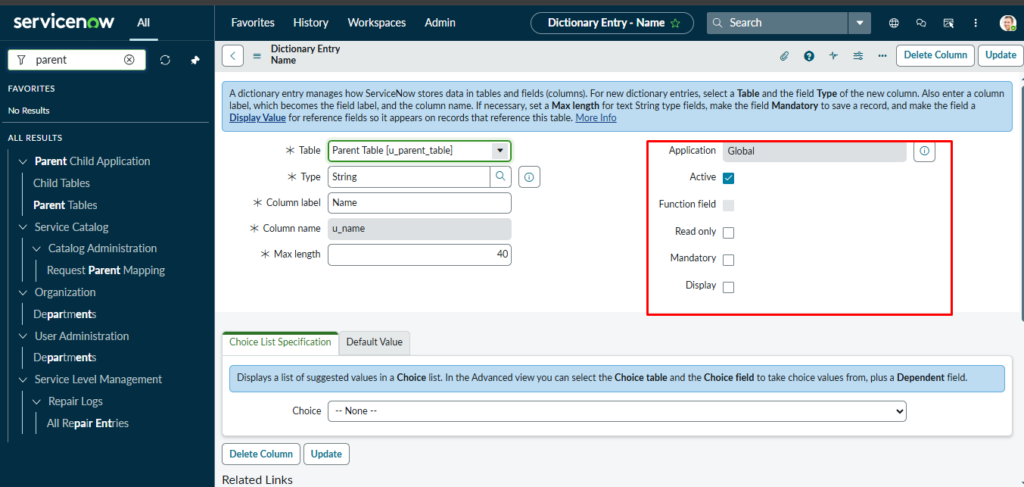
- If we have to Perform operation on child table field
Go to child table fields à Configure Dictionary à Dictionary override-> New-> There will be all operations.
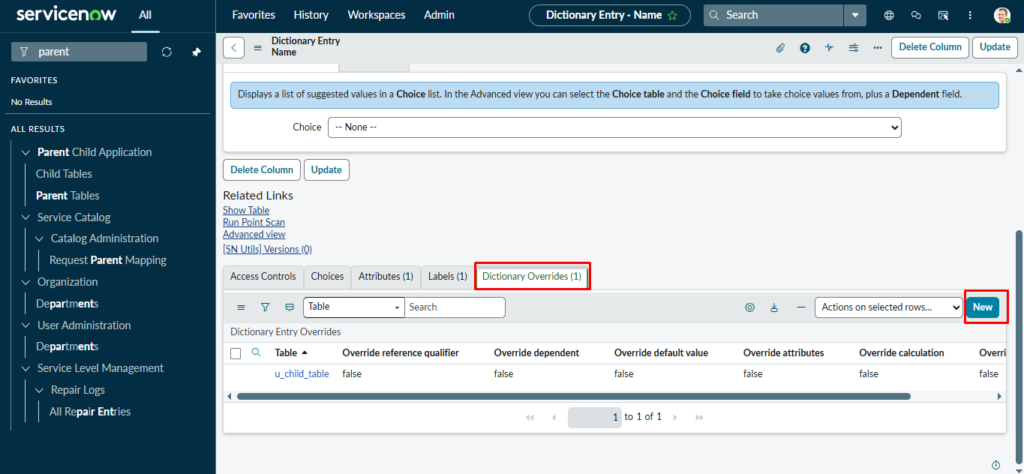
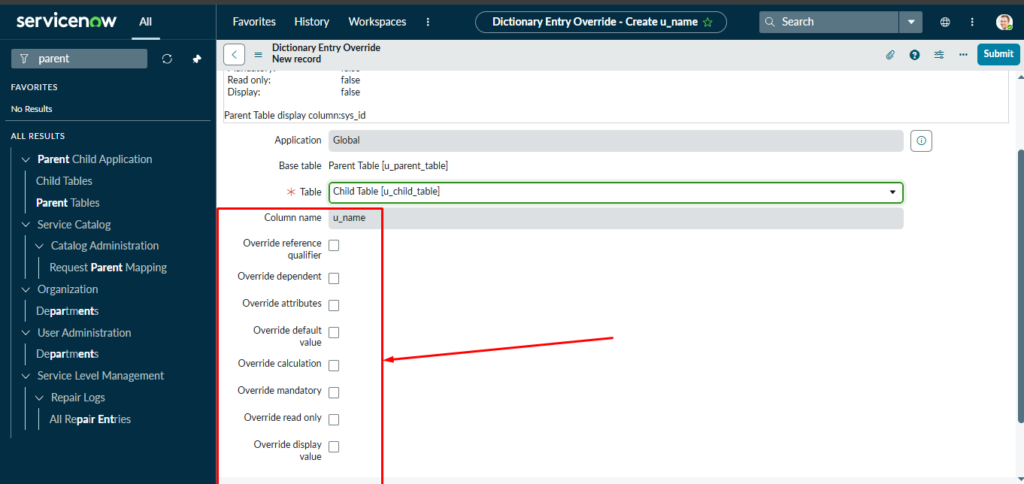
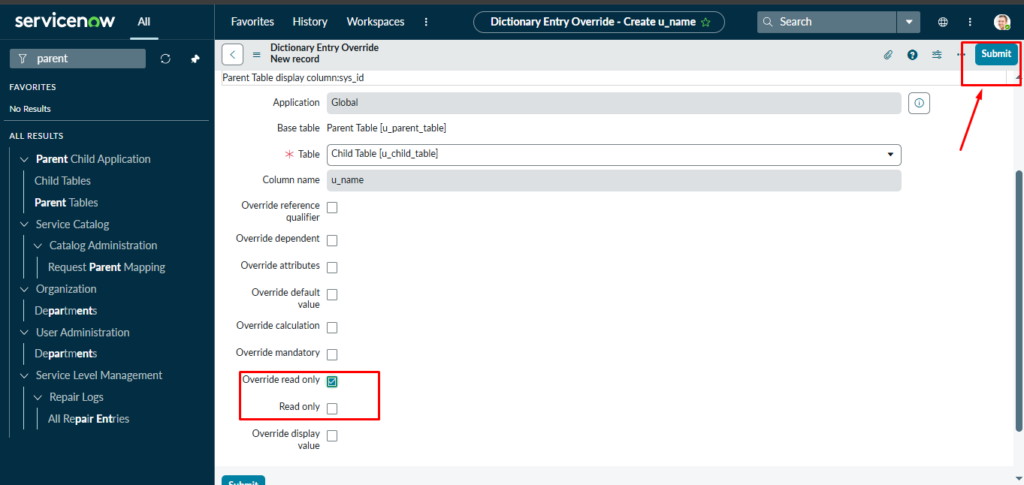
- Base Table: – is the parent table
- Table: – The table where we can change override property.
- These are the above properties by using, we can perform dictionary override.
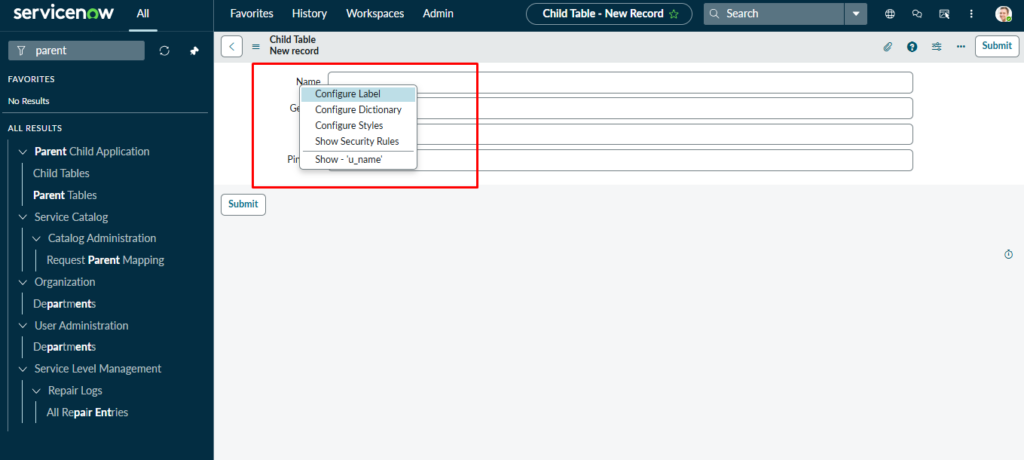
Ex: – If User wants to do Override the name field by Read-only then user can do with the below steps.
- Go to child Table->Right click on Name->Configure Dictionary->
- Click On Dictionary Override-> Click on New.
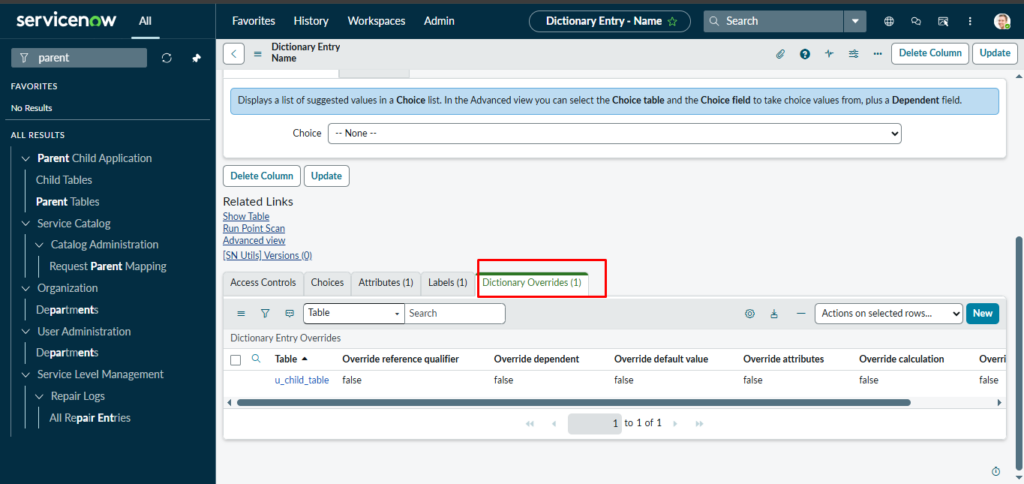
- Click on -> Override Read Only-> Sumit the Record.
- After submitting the record check in the child table. If filed get read-only or not.
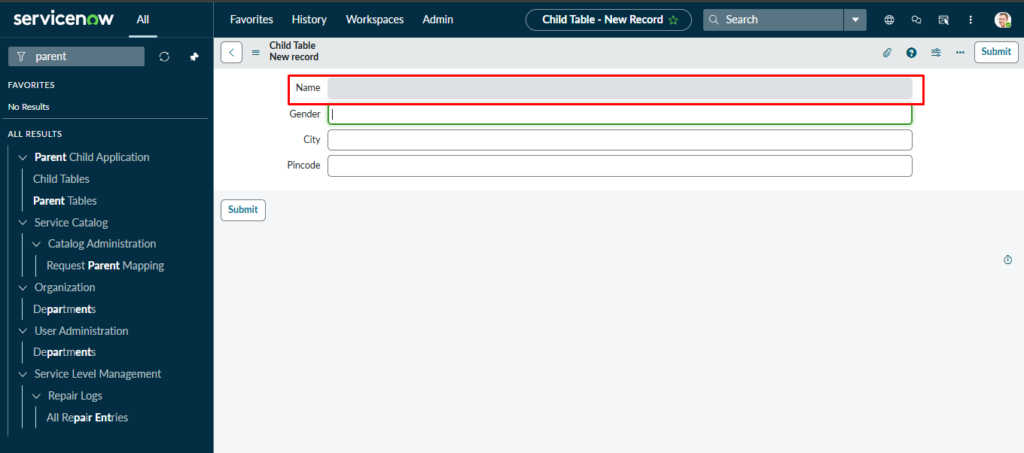
- And here the field is read only.
Note: When we Apply Override in Child table, it does not Apply to Parent table.
Summary:
Dictionary Override in ServiceNow is used when you have a parent–child table relationship and want a child table to behave differently from the parent. Normally, all fields and their properties are inherited from the parent table, but with a dictionary override you can change things like default values, read‑only settings, mandatory status, reference qualifiers, calculations, attributes, and display values only for the child table. To use it, you first create a parent table (by making it extensible) and then create a child table that extends it. Any field added to the parent automatically appears in the child, but records added in the parent do not show in the child, while child records appear in the parent. To override a field, open the child table, right‑click the inherited field, go to Configure Dictionary, and create a new Dictionary Override where you select the property you want to change. The override affects only the child’s table and never the parent.